Reverse-engineering skills
Load methodology for N64, PS2, PS3, Xbox, Xbox 360, SNES, Game Boy, Windows, and PC recompilation work.
RE-first · local-first · terminal-native
RecompHamr is a lightweight terminal coding agent built for reverse engineering, decompilation, static recompilation, and unfamiliar native-code projects. It keeps local LLM workflows practical while still supporting OpenAI-compatible endpoints.
Why it exists
RecompHamr extends CodeHAMR with reverse-engineering specific skills, MCP integration, project handoff docs, and a system prompt tuned for codebases where symbols, docs, and build history may be incomplete.
Load methodology for N64, PS2, PS3, Xbox, Xbox 360, SNES, Game Boy, Windows, and PC recompilation work.
Connect Ghidra, emulator debuggers, object diffing, recomp tooling, and more without flooding the model context.
Seed AMD-priority local profiles for LM Studio, Ollama, llama.cpp/Vulkan, or any compatible endpoint.
Persist reverse-engineering state in .rehamr/REPHAMR_STATE.md so the next session starts with context.
Suggested flow
Use RecompHamr for projects where the safest path is measured progress, not guesswork.
Run /init-re to create project state and capture assumptions before the agent starts modifying files.
Use /skills and /skill <name> so the prompt contains the methodology for your target platform.
Bring in Ghidra, emulator bridges, pcrecomp, objdiff, PCSX2, RPCS3, BizHawk, or other tools as needed.
Run /doctor to check models, GPU drivers, toolchains, MCP status, endpoints, and workspace health.
Terminal demo
Keep the workflow terminal-first: inspect files, generate focused patches, package reference repos, and record verified state without switching into a heavy IDE plugin stack.
Open the repo demo GIF →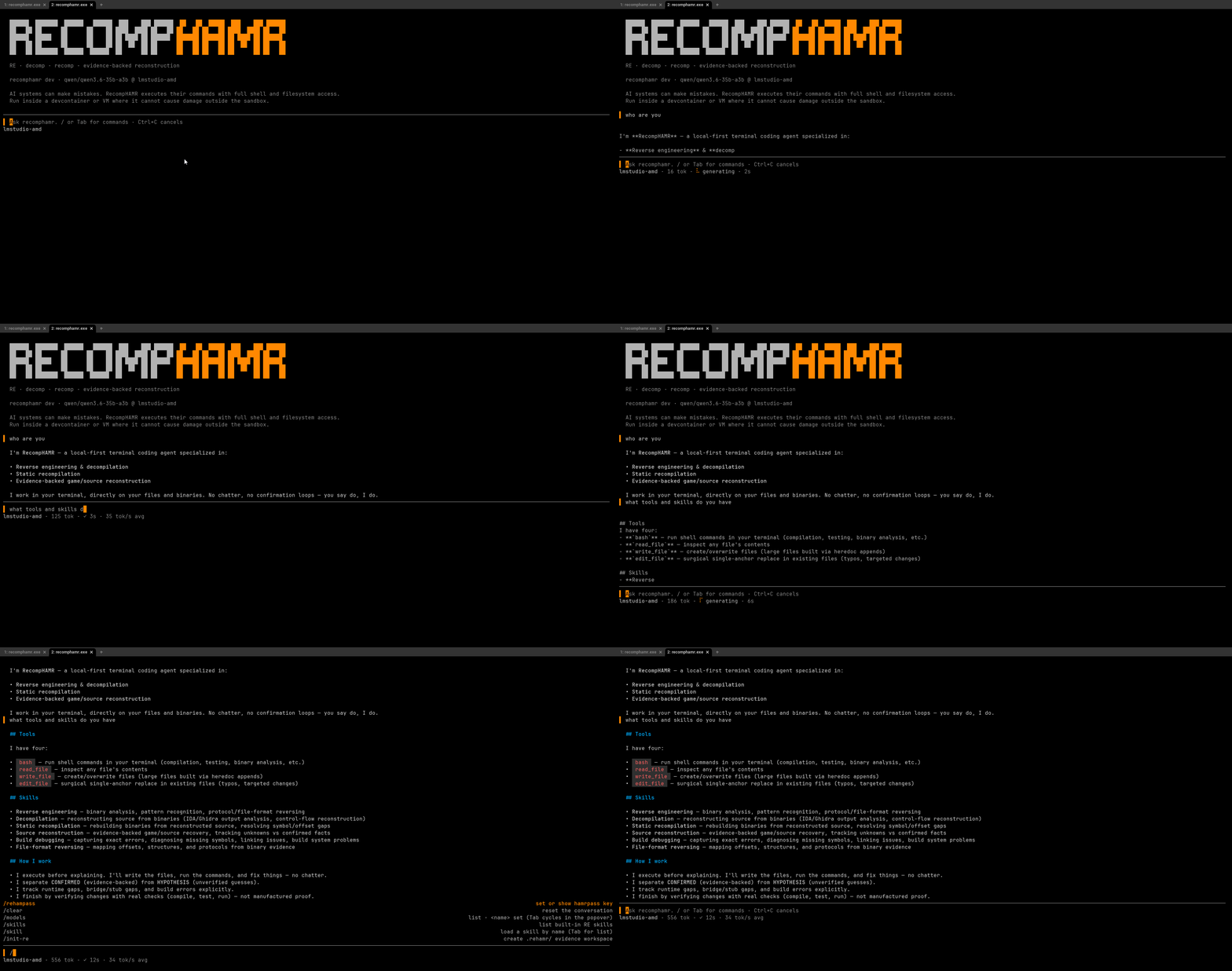
Install
Requires Go and git. Run RecompHamr inside the project you want it to help analyze.
go install github.com/DohmBoy64Bit/recomphamr/cmd/recomphamr@latestgit clone https://github.com/DohmBoy64Bit/RecompHamr.git
cd RecompHamr
go build -o recomphamr ./cmd/recomphamr/Docs map
Ready for a hard target?
Open a project, run recomphamr, initialize RE state, load the right skill, and let the agent work close to the evidence.